AION Nexus CRM
Everything your sales team needs, on controls built for money
The always-on core of AION Nexus. Pipeline, accounts, activities, documents and proposals, sitting on a security model designed for a platform that settles payments.
Why not just use a general-purpose CRM?
A general-purpose CRM can be configured to do a good deal of this. The question is how much of it you would end up building and maintaining yourself: tenant isolation you can demonstrate to an auditor, an audit trail that detects tampering, permission domains that match how a regulated firm separates duties, and a deal model that understands currency. Those four came first here, and everything else was built on top of them.
The data model
What the CRM stores
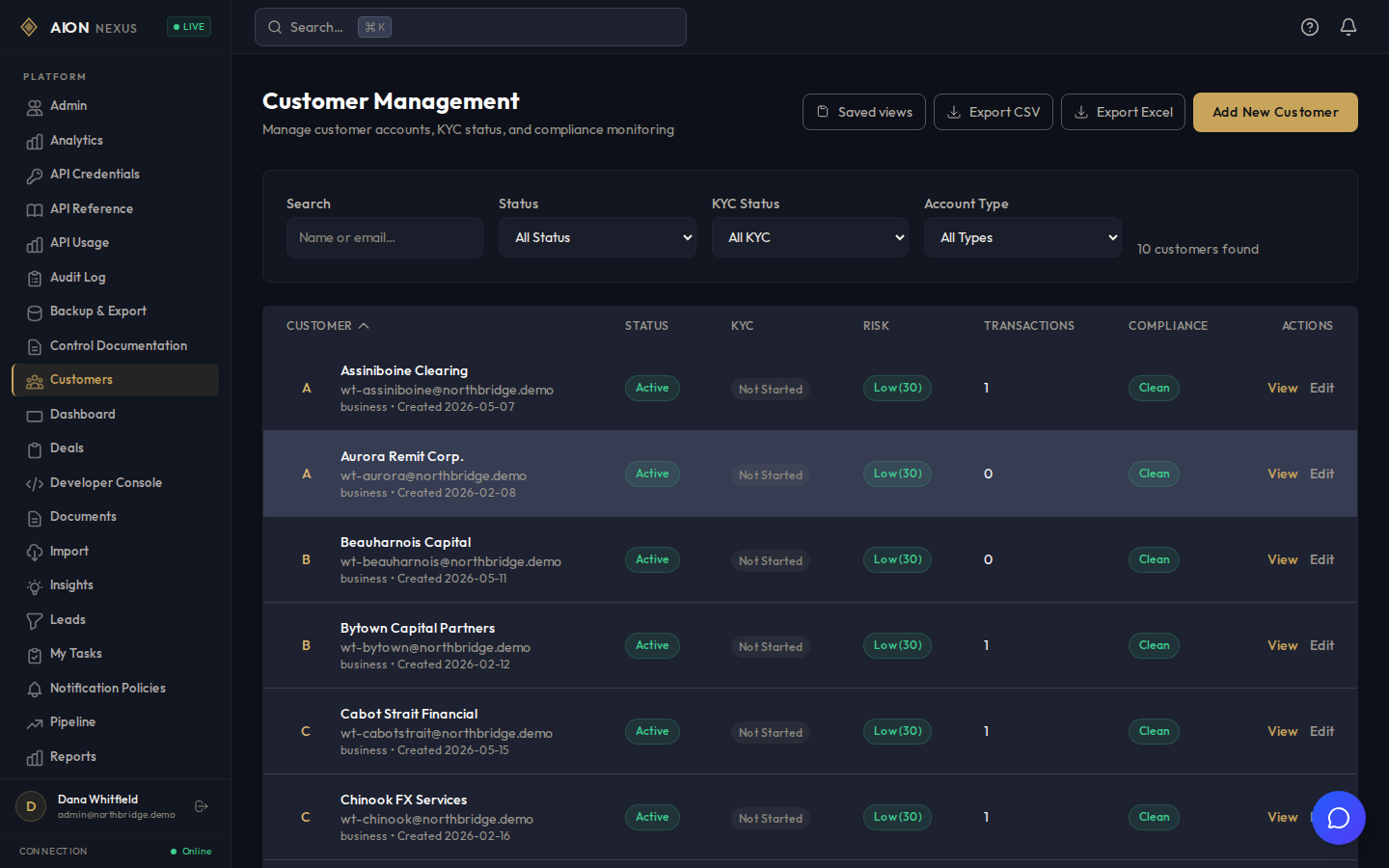
Customer and account
A self-referencing hierarchy, so a group structure keeps its shape. Territory assignment, account health, and encrypted personal fields.
Contact
People at an account, with roles, decision-making influence and communication history.
Lead
Scored on capture and re-scored when an input changes, with configurable routing rules that assign to the right owner.
Deal
Multi-currency, with the exchange rate captured at the point the deal was struck, a configurable stage pipeline, and a structured close-reason taxonomy so lost-reason analysis is possible.
Activity
Calls, meetings, notes and tasks against any record, forming the timeline that account health is calculated from.
Document
Typed and classified, with contents encrypted at rest and a retention date, so the document lifecycle looks after itself.
Proposal
Line items, versioning and approval state, linked to the deal it belongs to.
Stage, compliance flags and currency cannot be edited through the general update path. Changing them goes through an operation that records who did it and why, so the history stands up as an audit trail.
Sales execution
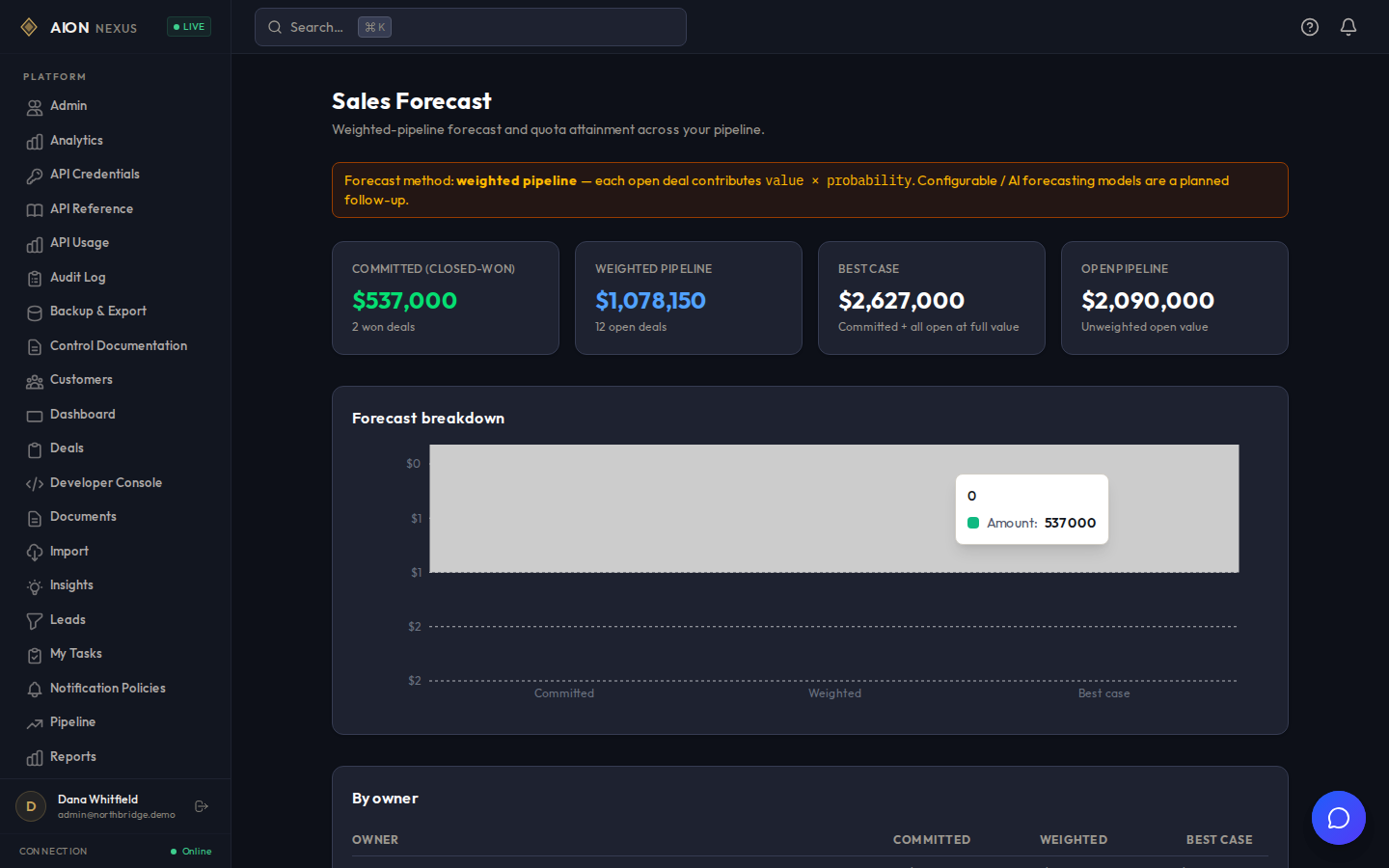
Forecast straight from live deals
Forecasting and analytics are computed from live deal data, so the number in your review is the number in the system.
- Weighted pipeline forecast using the win probability configured on each stage.
- Funnel analytics showing conversion and drop-off between stages.
- Quotas and territories measured against live deal data.
- Transactional bulk operations, so a partial failure does not leave half a change applied.
- CSV import with validation and a preview before anything is written.
- Cross-entity search across customers, contacts, leads, deals and documents.
Pipeline
Build the pipeline around your process
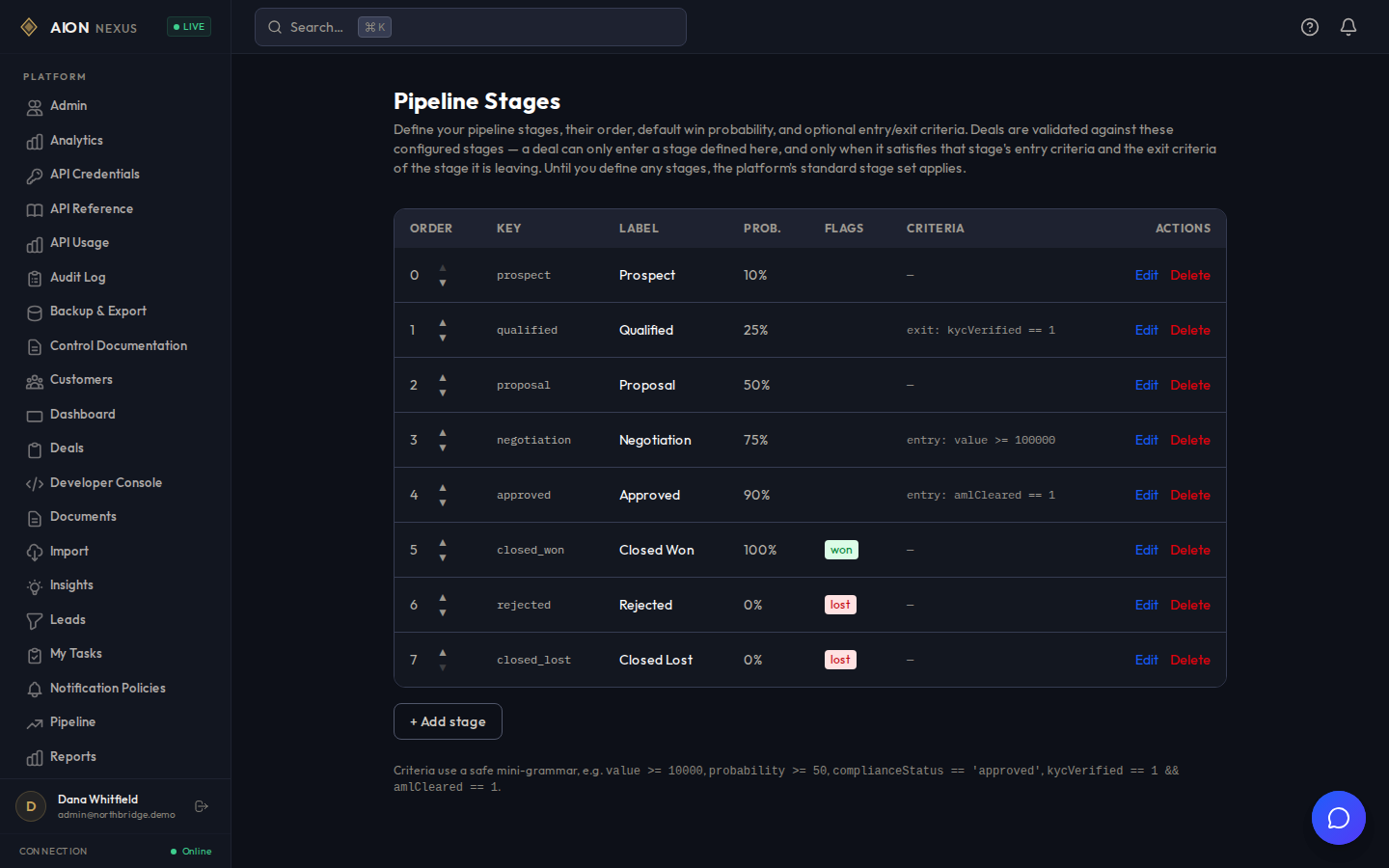
Stages are configured per tenant and are authoritative for deals. Entry and exit criteria are evaluated on every transition, so the system enforces your process rules and your team does not have to remember them.
- Define your own stages, their order and their win probability.
- Entry criteria: a deal cannot enter Negotiation below a value threshold.
- Exit criteria: a deal cannot leave Qualified until identity verification has completed.
- A rejected transition names the criterion that failed.
Relationships
See account health from real activity
Health scores are computed from real activity: contact recency, ninety-day volume, stalled deals, open complaints and outstanding balances.
- Last activity date, ninety-day activity volume, and deals stalled against their real close dates.
- Outstanding balances and open complaints folded into the same score.
- Structured account reviews with owners and outcomes.
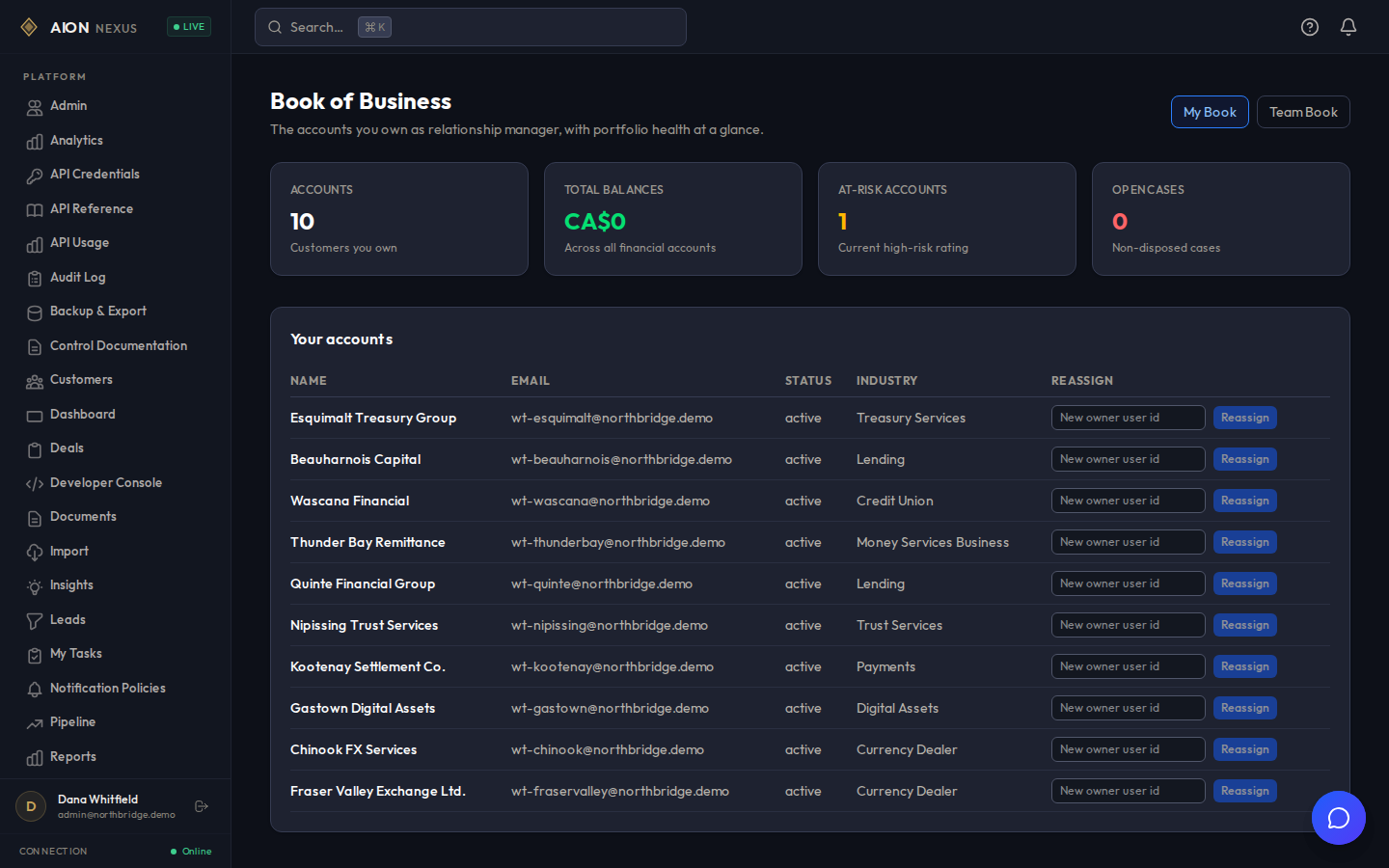
- A customer 360 view and a relationship manager book of business.
Collaboration
Collaborate without leaving the record
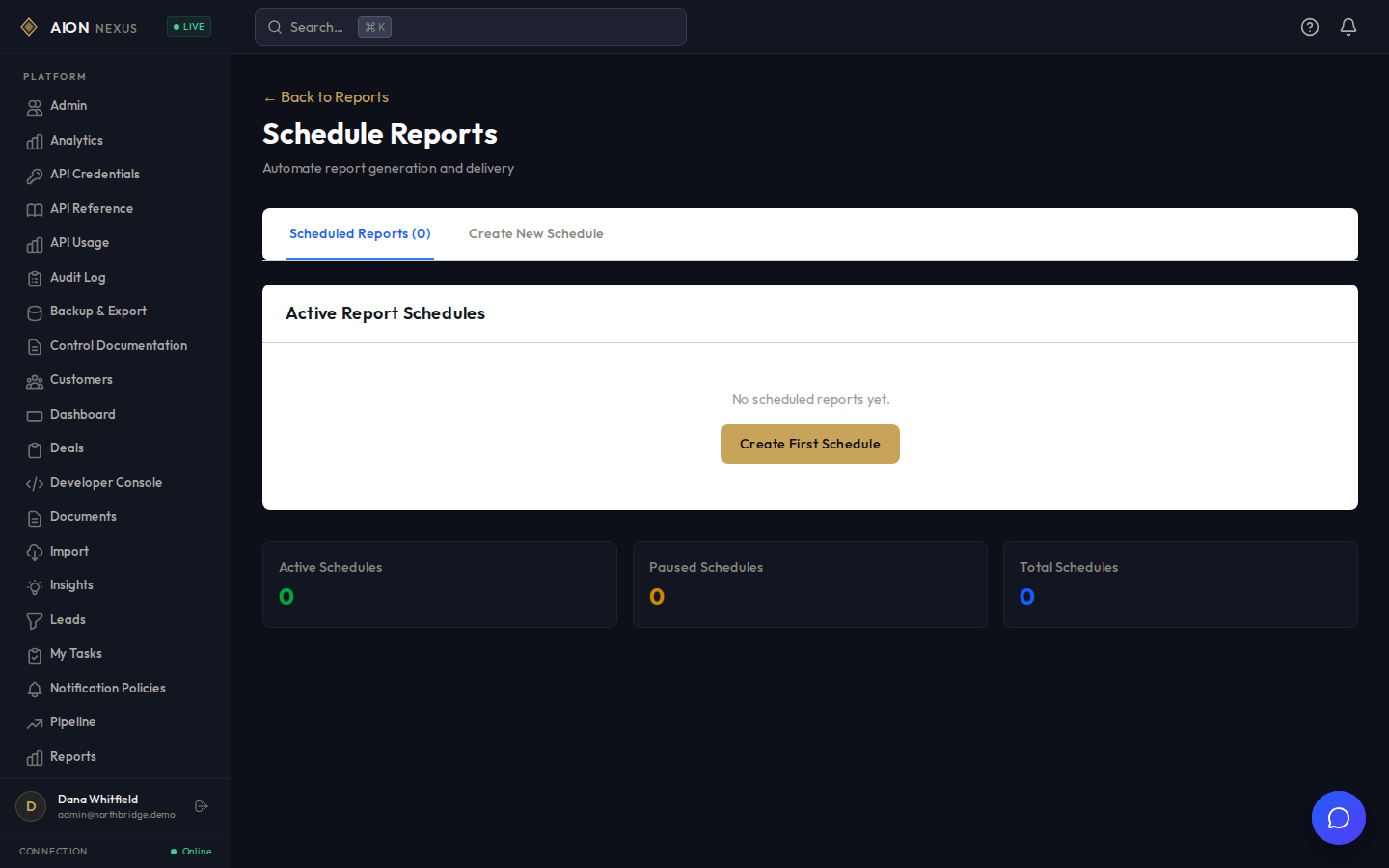
These are wired end to end. The scheduler runs on server start, and the reports arrive.
- Comments with @mentions that create real notification records.
- Saved views, with your default applied automatically on load.
- Scheduled reports that generate and email themselves on a cadence you set.
- Every one of these is written to the audit trail like any other action.
Scoring
Act on scores you can defend later
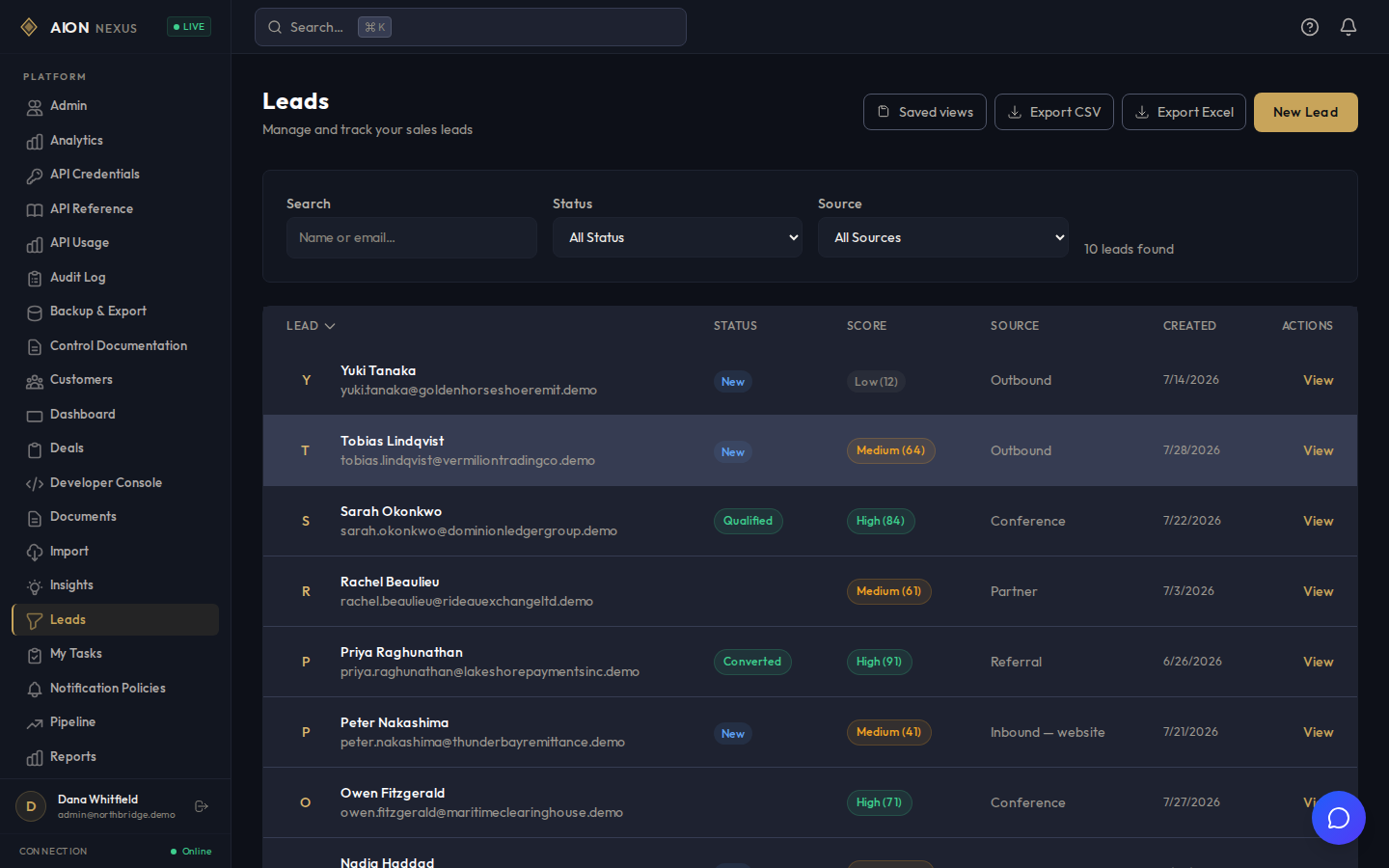
Lead scoring is a weighted rule engine. Nothing in it learns its own weights from your data, and that is deliberate: in a regulated firm, a score you cannot explain to a supervisor is a score you cannot act on.
- Inputs: recency, source quality, fit against your ideal customer profile, and engagement.
- Output: a score from 0 to 100, a band, and a written explanation of how it was reached.
- Re-runs automatically when any input changes, so a score is never stale.
- Identical inputs always give an identical score, so a decision can be reconstructed months later.
- Next-best-action suggestions work the same way and are labelled as heuristics in the interface.
Data in, data out
Get your data out whenever you want
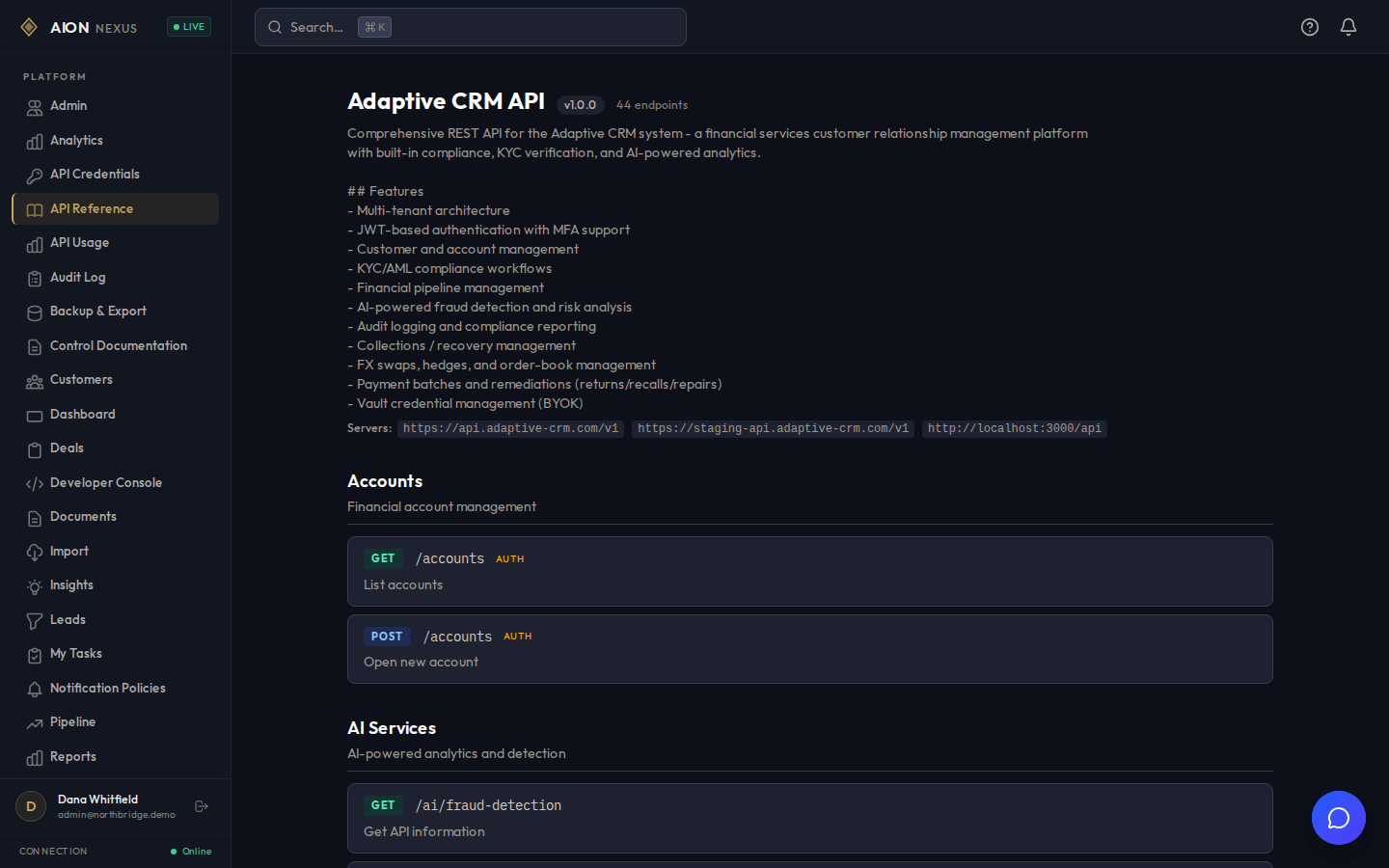
A CRM that is hard to get data out of is a CRM that is hard to leave. The whole surface is available over a documented API.
- 301 REST endpoints with a published OpenAPI 3.0 specification.
- Outbound webhooks signed with HMAC-SHA256, with delivery tracking and retry.
- CSV import and export across the core objects.
One roadmap item worth flagging here: the approval-gated export wrapper is present in the interface, and the approval step that releases the export is still to come.
Roadmap
On the roadmap
The first release covers the core. These are the next items, and a design partner sets their order.
- Calendar synchronization Two-way sync with Google Calendar and Microsoft 365 is planned, and is not in the first release.
- Email client integration An Outlook and Gmail sidebar with automatic logging of sent mail is planned. Activities are logged manually today.
- Telephony Click-to-call, call recording and softphone integration are planned, and are not in the first release.
- Chat platform integration Slack and Teams notifications from CRM events are planned. Outbound webhooks cover the same ground today for a team willing to wire them up.
- Workflow automation platforms A Zapier or Make connector is planned. The REST API and signed webhooks are the integration path in the meantime.
- Custom fields and custom objects Runtime user-extensibility is planned. The data model is configurable today through a deployment change; making it an administrator setting is the next step.
- Marketing and enrichment tools The credential configuration screens are in place; the integrations behind them are planned work, so treat those screens as scaffolding for now.
- Migration from another CRM Connector-based migration from an incumbent system is planned. CSV import covers the core objects today.
- Native mobile applications Store-distributed applications are planned. The current interface is a progressive web app, installable from the browser.
- Activity reminders Reminders can be set on an activity and are stored; delivery is the planned half, so nothing sends them yet.
If your team lives in Outlook and on the phone, calendar, email and telephony are the three that matter most. They sit at the top of the list for exactly that reason, and a design partner sets the order from there.